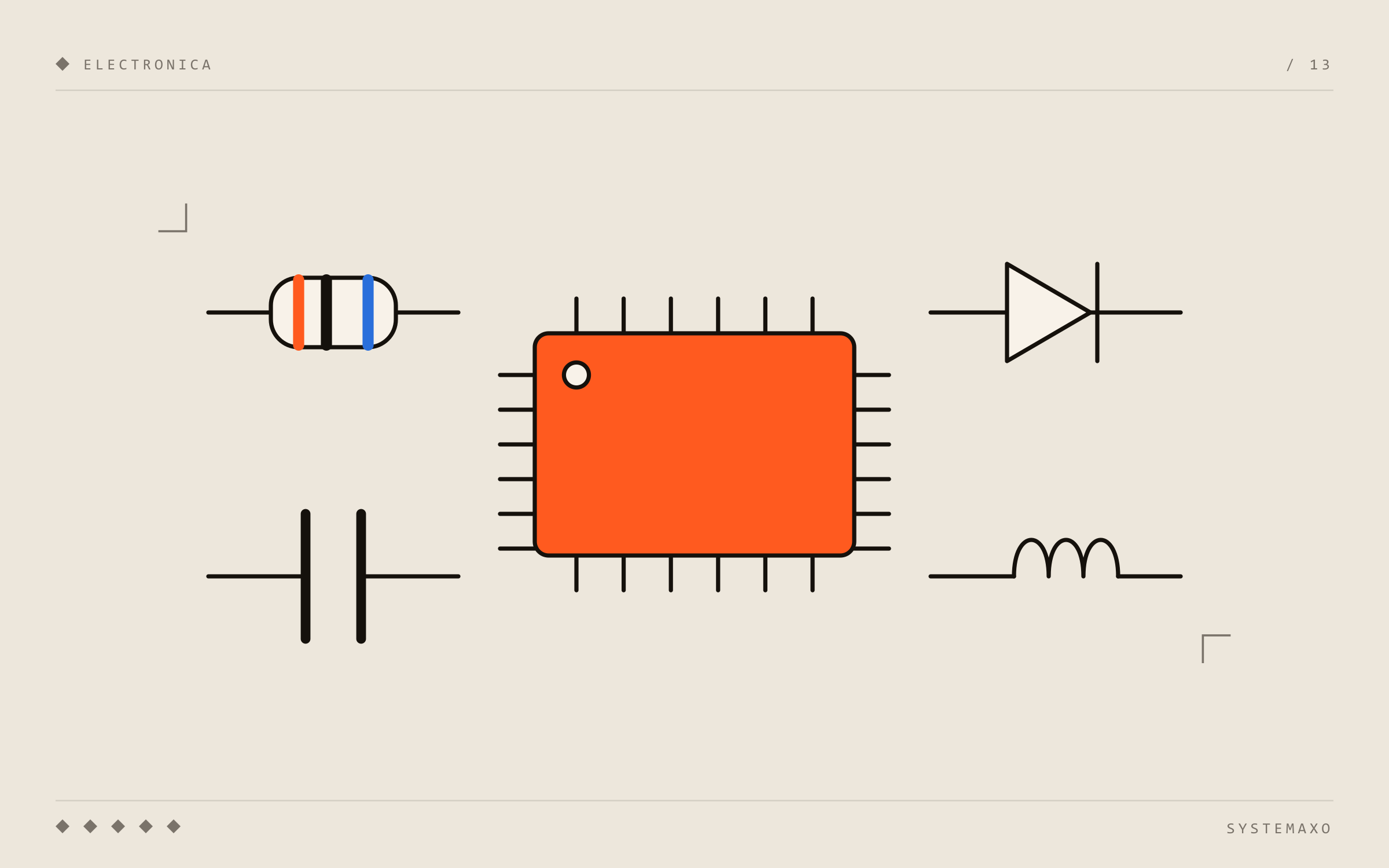
Open a phone and look at the motherboard under magnification and you’ll see hundreds (sometimes over a thousand) tiny parts. It looks impossible to understand, but almost everything there belongs to half a dozen component types that repeat over and over.
This article explains what each one does, how to recognise it and — what matters most at the repair bench — how it usually fails. If voltage, current or short circuits are still fuzzy, start with our guide to basic electronics concepts.
Passive and active components
A useful first split:
- Passive: they don’t amplify or control anything on their own. Resistors, capacitors and inductors.
- Active: they can control current flow or amplify signals. Diodes, transistors and integrated circuits.
What is a resistor
What they do: limit current and divide voltages. For example, they set how much current flows through an LED or create a reference voltage so a chip knows which mode to run in.
How to recognise them: on modern boards they are tiny black rectangles (SMD parts) with a printed code indicating their value. In older or hobby electronics they are cylinders with coloured bands.
How they fail: they go open (break internally and stop conducting) from impacts, corrosion or overheating. They fail less often than other components.
What is a capacitor
What they do: store a small amount of charge and release it very quickly. On a board they are mainly used to stabilise power: they filter noise and act as small energy reservoirs next to each chip. That is why you’ll see dozens of them around the processor.
How to recognise them: on phones they are tiny rectangles, usually beige, brown or grey, with no markings. Power supplies and PC motherboards also have electrolytic capacitors — the “cylinders” that sometimes bulge.
How they fail: they are by far the most common cause of short circuits on phone boards. A ceramic capacitor cracks internally from a drop, board flex or corrosion, and ends up connecting a power rail straight to ground. The result: the device won’t turn on and the affected rail heats up. In older computers and power supplies, electrolytics dry out or swell over the years.
What is an inductor (coil)
What they do: store energy in a magnetic field. They’re used in the converters that turn the battery voltage into the different voltages each part of the board needs (1.8 V, 1.2 V, 0.8 V…).
How to recognise them: usually square or rectangular, grey and somewhat larger, located near the power chips.
How they fail: they can go open or get damaged by a hard impact. When an inductor fails, the power rail that depends on it disappears.
What is a diode
What they do: let current flow in one direction only, like a check valve. They protect circuits against reverse connections, rectify alternating current and protect against voltage spikes (TVS diodes) on charging and USB ports.
LEDs are diodes too — they emit light when current flows.
How they fail: protection diodes sacrifice themselves when they take a voltage spike — for example from a faulty charger — and usually end up shorted. It’s a classic “I charged my phone with a cheap charger and now it won’t charge” fault.
What is a transistor (and a MOSFET)
What they do: they are electrically controlled switches (or amplifiers). A small signal can switch a much larger current on or off. Processors contain billions of them, but boards also have discrete transistors — mostly MOSFETs — that switch power to different parts of the system, such as the backlight or battery charging.
How they fail: they burn out from excess current or heat, ending up shorted or open.
What is an integrated circuit (chip)
What they do: an integrated circuit (IC) is a complete circuit in a single package. In a phone the most important ones are:
- Processor (SoC): the brain.
- Memory (RAM and storage): where your photos and data live.
- PMIC or power management IC: distributes and controls every voltage on the board.
- Charging IC: manages the energy coming from the port and charges the battery.
- USB controller (Tristar/Hydra on iPhone) and other controllers: detect which charger or accessory is connected.
- Audio, touch, baseband (radio), Wi‑Fi chips…
How to recognise them: they are the larger “black squares”, many in BGA packages: instead of visible legs they have a grid of hundreds of tiny solder balls underneath.
How they fail: they get damaged by voltage spikes, shorts on their rails, liquid, or because their BGA joints crack from drops and heat cycles (very common in laptops). Repairing them requires micro-soldering: removing the chip, cleaning, reballing (re-applying the solder balls) or replacing it with a new one. We explain it in detail in what is micro-soldering.
What is a fuse
What they do: the simplest protection — a wire or trace that melts if too much current flows, cutting the circuit before anything else gets damaged.
How they fail: they go open by doing their job. A blown fuse is rarely the root cause: it usually means there’s a short behind it that needs to be found.
Connectors
Not strictly “electronic” components, but they cause a huge number of faults: the charging port collects lint and wears out, screen and battery flex connectors loosen or corrode, and pins get bent. Many “my phone won’t charge” cases are solved right here — see phone not charging: causes and fixes.
Summary
| Component | Function | Typical fault |
|---|---|---|
| Resistor | Limit current | Goes open |
| Capacitor | Stabilise power | Short circuit (very common) |
| Inductor | Convert voltages | Goes open, a rail goes missing |
| Diode | One-way / protection | Shorted after a voltage spike |
| Transistor / MOSFET | Electronic switch | Burns out |
| Integrated circuit | Complete functions | Damaged or cracked BGA joints |
| Fuse | Protection | Blows due to an earlier short |
When the fault is on the board
Most repair shops swap large parts: screen, battery, charging port. When the problem is one of these tiny components, the usual answer is “the board needs replacing” — which often costs almost as much as the device.
At Systemaxo we do board-level repair of phones and computers and laptops: we find the exact component that failed and replace it. If you have a device that won’t turn on in Carcaixent, Alzira or La Ribera (Valencia), tell us what’s wrong.